Blog
How to Make Pinterest Pins for Amazon Affiliate Products (2026 Guide)
Pinterest and Amazon Associates are a natural pair: people come to Pinterest planning purchases, and Amazon converts browsers better than almost any storefront on earth. But the pairing has real rules on both sides, and one persistent practical problem — Amazon product photos make terrible pins. This guide covers the rules first (they protect your Associates account), then the part most guides skip: how to make pins that actually earn the click.

Step 1: Get the compliance basics right
Nothing below is legal advice, and both programs update their terms — check the current Amazon Associates Program Policies and Pinterest's community guidelines before you scale. But as of 2026, the widely accepted ground rules are:
Register Pinterest as a traffic source. Amazon requires you to list the sites and social accounts where you'll post affiliate links in your Associates account settings. Add your Pinterest profile there before you start pinning affiliate links.
Use full, unshortened affiliate links. Amazon's terms prohibit obscuring where a link leads — no generic link shorteners, no cloaking. Use the link exactly as Amazon's SiteStripe or link tools generate it.
Disclose. Both FTC guidance and Amazon's own rules require clear disclosure. The standard practice on Pinterest is a short line in the pin description — "#ad" or "affiliate link — I may earn a commission." It doesn't hurt performance; audiences are used to it.
Don't pin prices into images. Amazon prices change constantly, and quoting a stale price in a pin violates the spirit (and often the letter) of the program's accuracy rules. Describe the product, not the price tag.
One more Pinterest-side rule: don't spam. Pinterest's spam filters are aggressive about identical pins blasted to dozens of boards in minutes. Space your pinning out and vary your images and copy.
Step 2: Pick products people already pin about
Amazon's bestseller lists are a starting point, but the better filter is Pinterest demand. Search your niche on Pinterest and note what surfaces: home and kitchen, decor, organization, beauty, gifts, and hobby gear consistently outperform. Pinterest's free Trends tool shows seasonal demand curves — pin gift guides in October, organization products in late December, garden gear in February. High-ticket isn't automatically better: a $30 product with mass appeal often out-earns a $300 product nobody impulse-buys.
Step 3: Solve the image problem
Here's the part that separates pins that get saved from pins that get scrolled past. Amazon listing photos are built for a search results page, not a feed — product on white background, harsh lighting, watermarked lifestyle shots if you're lucky. Meanwhile, Amazon's terms restrict how you can use their product images outside their provided tools anyway — we walk through exactly which rules apply in can you use Amazon's product photos on Pinterest.
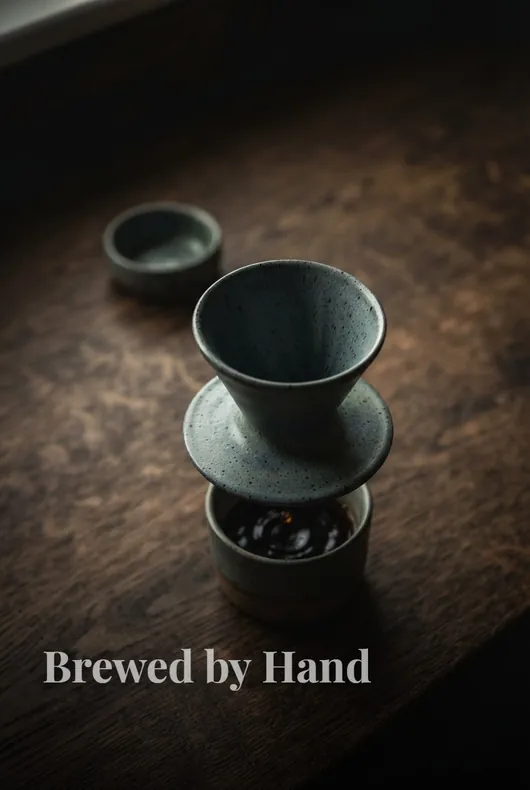
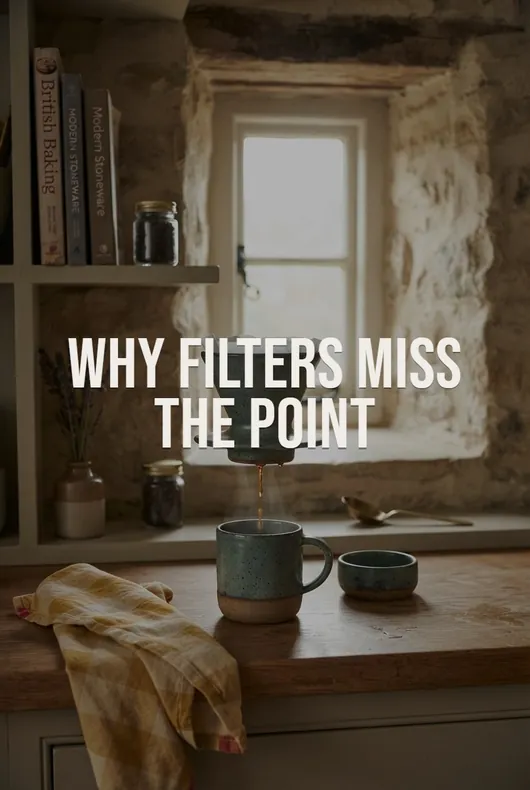
What works on Pinterest in 2026 is imagery that looks like it belongs there: the product styled in a real room, shown in use, arranged in a flat lay, or shot like a magazine feature — vertical, at Pinterest's recommended 2:3 ratio (taller than 2:3 gets truncated in the feed).
You have three realistic options:
- Shoot it yourself. Best authenticity, and required if you're doing genuine product reviews — but it means buying every product and owning a camera setup.
- Design around stock imagery in Canva. Workable for list-style pins ("10 kitchen upgrades under $30"), weaker for single-product pins where the actual product needs to appear.
- Generate product photography with AI. This is the job Pinstark was built for: paste the Amazon product link and it generates a complete pin pack in about a minute — new AI photography of the product in lifestyle scenes, flat lays, or studio shots, with editorial text overlays and SEO-ready titles and descriptions, all at 2:3. You get feed-native imagery without buying the product or reusing Amazon's photos.

Whichever route you take, make several visually distinct pins per product over time — Pinterest rewards fresh pins, and different images catch different audiences.
Step 4: Write titles and descriptions for Pinterest search
Pinterest is a search engine wearing a social network's clothes. Your pin title and description are ranking inputs:
- Title: lead with what someone would type — "Small Kitchen Organization Ideas" beats "My New Favorite Gadget!" Keep it under ~100 characters; only the first 40 or so show in the feed.
- Description: 1–3 natural sentences working in related keywords (product type, use case, room, style, occasion), plus your disclosure. Write like a helpful person, not a keyword list.
- Board matters too: pin to a board whose name and description match the topic — a "Kitchen Organization" board tells Pinterest what your pin is about.
If you'd rather not write these by hand for every pin, this is also generated for you in a Pinstark pack — each image comes with a search-optimized title and description you can edit before posting.
Step 5: Post consistently and give it time
The realistic loop: 3–10 quality pins a day across your product set beats 50-pin blasts once a week. Add your affiliate link as the pin's destination, disclosure in the description, and let pins accumulate. Pinterest content compounds — pins routinely drive traffic for months or years, but new accounts usually need a few months before impressions snowball. Track outbound clicks in Pinterest Analytics against your Amazon Associates reports to see which products and pin styles actually convert, then make more of what works.
The short version
Register Pinterest with Amazon, use clean links, disclose, skip the listing photos in favor of feed-native 2:3 imagery, write searchable titles, pin steadily. The compliance is easy once set up — the images are the real competitive edge, because most Amazon affiliates on Pinterest are still pinning white-background product shots.
If you don't want a blog in the middle of this at all, that works too — see Pinterest affiliate marketing without a blog. And if you'd rather keep your face out of it entirely, the faceless playbook covers that setup end to end.
Make your first pack now: paste any Amazon product link into Pinstark — AI product photography, editorial overlays, SEO titles and descriptions, in about a minute.