Blog
Pinterest Affiliate Marketing: How It Actually Works (2026)
Most people who give up on Pinterest affiliate marketing don't give up because of the rules. They give up because of the photos.
You can rarely use the merchant's product images — Amazon's terms forbid storing them — so every Pin needs an original image for a product you don't own, week after week, for as long as the account runs. That one constraint decides more about whether this works than any other choice below.
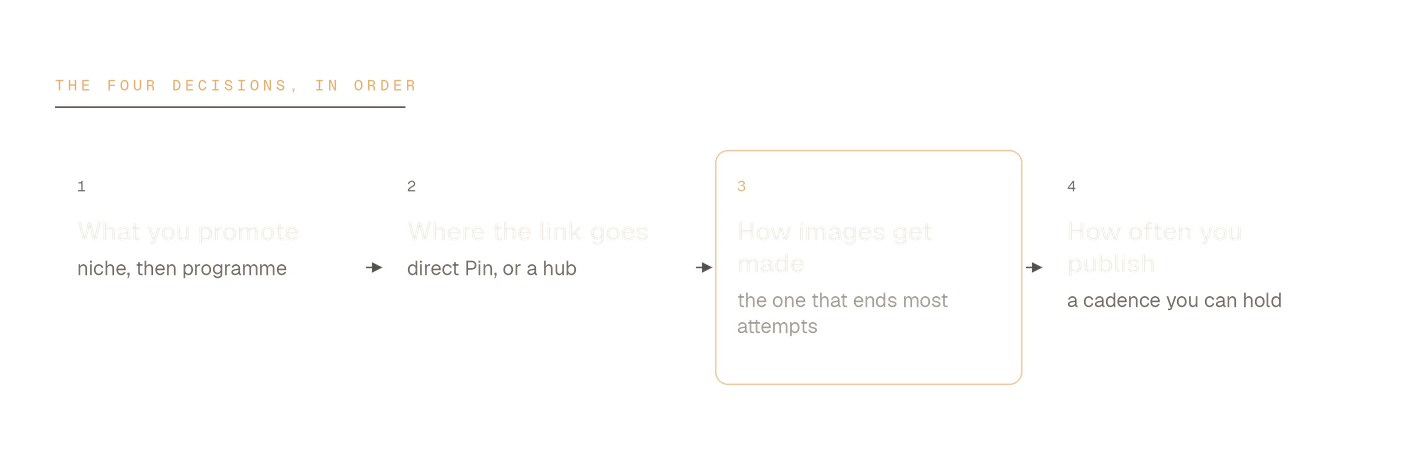
The rules are the easy part, and the next section deals with them in full. Everything after that is four decisions, and they're easier taken in order.
Is affiliate marketing allowed on Pinterest?
Yes, with conditions — and they come from three separate places, which matters because following one won't excuse breaking another.
Pinterest itself stays out of the commercial relationship. Its own affiliate guidance says plainly that "Pinterest isn't part of the affiliate agreements, so you'll need to choose an affiliate network." What Pinterest does govern is behavior, and its community guidelines set one principle worth memorising: Pinners should be able to "reasonably anticipate where your link will take them." That single line rules out most of what gets accounts into trouble.
The second layer is your affiliate program's own terms, which vary far more than people expect. The third is the FTC's disclosure rules — those apply to you, not to Pinterest, and no platform setting handles them for you. In practice that means the disclosure belongs on the Pin a reader sees, normally in the description, in plain wording: "affiliate link" does the job, and so does "#ad".
You don't need a blog for any of this. A direct affiliate link on a Pin is permitted, and several programs approve applicants with no website at all. For all three rule sets in detail, including what actually gets accounts suspended, the 2026 rules guide is the full version.
Decision 1: What you promote
Pinterest is a visual search engine used for planning, not a feed for impulse buys. That makes it strong for things people research before buying and weak for anything nobody pictures in advance. Home and décor, kitchen, organization, gifting, craft supplies, beauty and wellness all have deep existing search demand on the platform. B2B software does not.
The program matters as much as the product, and this is where most people stop looking too early. Amazon Associates has by far the widest catalog, which is why almost everyone starts there. Etsy runs its program through an affiliate network rather than in-house. Individual brand programs — the ones you have to go and find — frequently pay better rates than the large marketplaces in décor and gifting, and they're the ones most affiliates never apply to.
Worth doing properly before you commit: which programs accept Pinterest affiliates, including which of them approve applicants without a website.
Decision 2: Where the link goes
Two options, and they behave very differently.
A direct affiliate link on the Pin. Simplest and fastest. Pinterest's own instructions are to generate the link with your provider and put it in the Pin's destination field. The cost is that one Pin points at one product, and a visitor who doesn't buy is gone.
A link hub or landing page you control. The Pin goes to your page, which routes on to the product. Slower to set up, but it survives a program changing its terms, lets several products sit behind one Pin, and gives you somewhere to capture an email address.
What is not an option is disguising the destination. Cloaked redirects that hide where a click ends up collide directly with the "no surprises" principle above, and they're a common reason accounts get flagged. If the link-hub route sounds right, the no-blog guide covers the setup end to end.
Decision 3: How the images get made
This is where most Pinterest affiliate attempts quietly die.
Start with what you can't do. Amazon's operating agreement instructs Associates not to store or cache its product images — you may keep a link to one "for up to 24 hours," which is not a basis for a Pinterest library. Etsy's listing photos belong to the individual sellers. And even where reuse is permitted somewhere, every other affiliate promoting that product is working from the identical image, on a platform whose own affiliate guidance asks creators to "aim for affiliate content that's original and adds unique value."
So: original imagery, repeatedly, for products you have never physically held. Three realistic ways to get it.
- Buy the product and photograph it. Best results, worst economics at any scale.
- Design over a stock photo. Template tools compose a Pin from an image you already have — fast, and it looks like everyone else's, because the underlying photo is the same one.
- Generate new product imagery. Paste a product URL and get fresh product photography made for that listing. This is what Pinstark does, and why it exists.
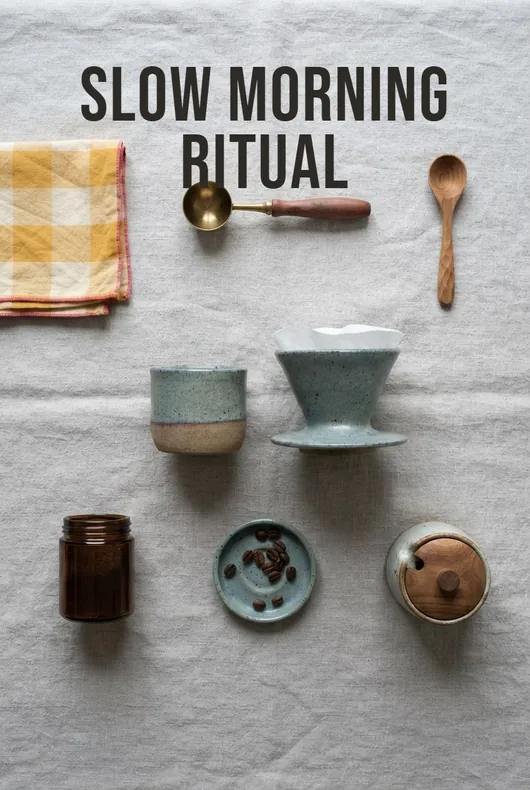
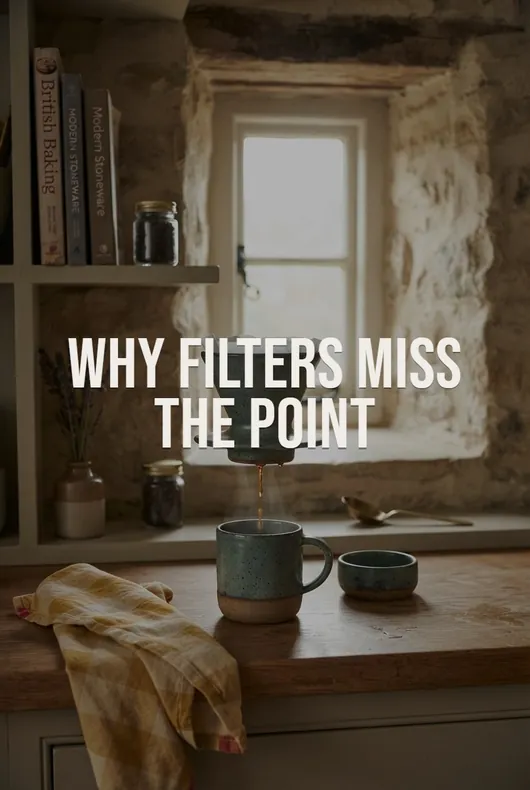

Whichever route you take, the constraint doesn't change: a Pinterest account consumes new images far faster than one person can shoot them. Solve that and the rest is ordinary work. Don't, and nothing downstream matters.
The marketplace-specific versions go deeper — Amazon products and Etsy listings each have their own image trap.
Decision 4: How often you publish
Nobody outside Pinterest knows the right number, and anyone quoting you one with confidence is guessing. What is well established is the shape of the thing.
A Pin is distributed slowly. Impressions accumulate over weeks rather than hours, and a Pin saved in October can still be sending clicks in February. That delay is the whole reason cadence beats volume: thirty Pins in one afternoon followed by a month of silence gives Pinterest almost nothing to learn from, while a smaller number arriving steadily gives it a great deal.
So the useful question isn't "how many per day" but "what can I still be doing in twelve weeks." Pick the number you can hold on a bad week, not the one you can hit on a good one — then aim the Pins at something people actually search for, which is its own discipline. Scheduling and keyword research are the two guides that cover it.
What the money realistically looks like
Two things are true at once, and most content on this subject tells you only one.
The delay is real. Pinterest traffic compounds on a scale of months. Almost nobody earns meaningfully in their first eight weeks, and a screenshot suggesting otherwise is either an outlier or an account that already had an audience.
The durability is also real. A Pin that works keeps working without further spend, and unlike most social platforms, old content stays in circulation rather than disappearing down a feed. That's the actual trade: patience, in exchange for something that doesn't stop the day you do.
The arithmetic is more use than a promise. Take an account at 20,000 monthly impressions — modest, and reachable within a few months of steady publishing. At a half-percent outbound click rate that's 100 clicks to the merchant; at a 3% conversion and a $4 average commission, about $12 a month. Ten times the impressions, ten times the money: roughly $120.
Those figures are illustrative, not a forecast. Their point is which lever actually moves the total. It isn't the wording on the Pin — it's impressions and commission value, and impressions come from having enough original images to keep publishing. The longer version of that calculation is in the passive income breakdown.
Doing it without showing your face
You don't need to appear in any of it. Product-led niches work precisely because the product is the subject, and an account built as a brand rather than a person is easier to hand over, scale or sell later. The faceless playbook is the six-step version.
Where to start
If none of this is set up yet, the order that wastes least time:
- Pick the niche before the program. Products people already plan around on Pinterest.
- Join one program and read its terms properly. Particularly on link handling and image use.
- Solve images before volume. Decide how you'll produce original imagery repeatedly.
- Set up a business account and choose direct link or hub.
- Publish at a cadence you can hold for three months before judging whether any of it works.
The order matters more than the speed. Most people begin at step two, skip step three entirely, and give up somewhere in step five — because by then every new Pin needs a picture they don't have.
FAQ
Do I need a blog for Pinterest affiliate marketing? No. Direct affiliate links on Pins are permitted, and several programs approve applicants with no website. A link hub sits between the two — more control than a bare link, far less work than a blog.
Can I use the seller's photos? Usually not. Amazon restricts storing its product images, Etsy's belong to individual sellers, and where reuse is permitted you're using the same picture as every other affiliate. Original imagery is both the safer and the more effective route.
How many Pins should I publish a day? There's no published threshold, and claims of one are guesswork. Consistency over months is what the platform's slow distribution rewards — choose a number you can sustain on a bad week.
Is Pinterest affiliate marketing still worth starting in 2026? It remains one of the few channels where content keeps earning without ongoing ad spend. The barrier isn't keyword competition — it's producing original imagery long enough for the delay to pass.