Blog
How to Make Pinterest Pins with AI (The 2026 Workflow)
A Pinterest pin is really three jobs stacked on top of each other: an image good enough to stop the scroll, a design layer that makes it read as intentional, and a title and description written for Pinterest's search engine. For years you needed a camera or stock photos for the first job, a design tool for the second, and copywriting patience for the third. AI can now do all three — but how you use it matters enormously, because the lazy version produces exactly the generic, obviously-AI pins that audiences have learned to scroll past.
There are three real ways to make pins with AI in 2026. Here's what each actually produces, and the workflow that gets professional results.
This guide focuses on still images; if motion suits the product better, the companion guide covers video pins.
Option 1: Prompt a general image model directly
You can generate pin imagery in any general-purpose AI image tool — Midjourney, DALL·E, Gemini, Stable Diffusion — by describing what you want and exporting the result.
Where it shines: maximum creative control, and for conceptual pins (an illustrated quote, a mood image for a blog post about morning routines) it can be genuinely great.
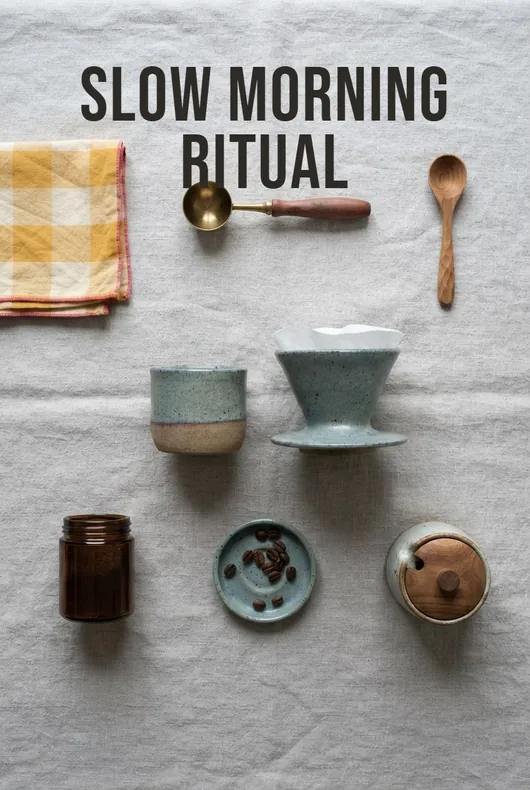
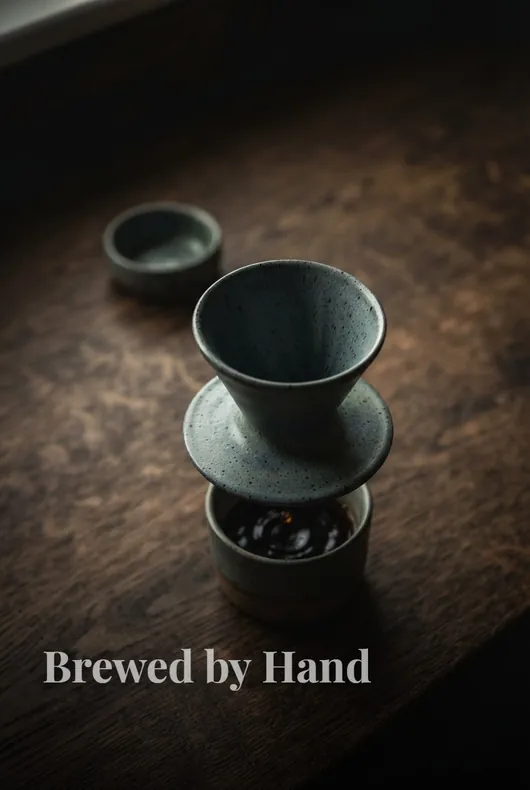
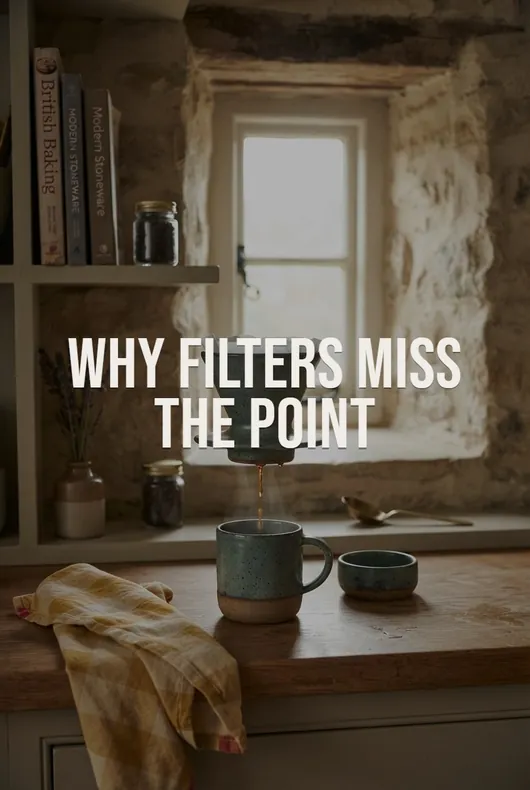
Where it breaks down for product pins: general models don't know your product. Describe a "ceramic pour-over coffee maker" and you'll get a pour-over — not the one you're linking to, with its actual shape, glaze, and proportions. For affiliate marketing that's a real problem: the pin promises one product and the link delivers another. Add the practical friction — wrangling aspect ratios toward Pinterest's 2:3, re-prompting for consistency across a set, then still needing a design tool for text overlay and writing your own SEO copy — and "free-form prompting" usually ends up the slowest option per finished pin.
Option 2: Use the AI inside a design tool
Canva's AI suite (Dream Lab image generation, Magic Design layouts) and its competitors bolt AI onto a template workflow: generate or pick imagery, drop it into a pin template, adjust, export.
Where it shines: if you already live in Canva and want hands-on control of every design decision, this is a comfortable middle path — and the template library is enormous.
Where it breaks down: it's still assembly work, one pin at a time, and the two halves don't talk to each other — the AI image doesn't know your product either, and the template doesn't know your keywords. Popular templates also mean your pins share a look with thousands of others. You're using AI as a component, not a workflow.
Option 3: Use a purpose-built AI pin generator
Dedicated tools take a URL and produce finished pins. The critical thing to understand is that they split into two camps that produce very different results:
Composition-first tools (Pin Generator is the best-known) pull the images already on your page and arrange them inside templates, in bulk. Fast and high-volume. They do generate AI imagery now — but they meter it as a premium: Pin Generator charges 12–24 credits for a generated image against 1 credit for a template pin, so its $29.99 plan works out to roughly 41 full-quality generated images versus hundreds of template pins. The pricing tells you what the product is built for, and most output ends up on the template route — where your pins can only ever look as good as the source photos, and a white-background listing shot in a template still looks like a white-background listing shot.
Generation-first tools create new imagery of the product as the default, not as a metered extra. This is the camp Pinstark is in: paste an Amazon, Etsy, Shopify, or Walmart product link and it generates a complete pin pack in about a minute — new AI product photography of that specific product (it reads the listing's reference images, so the output matches what you're actually selling) staged in a range of styles, from lifestyle scenes and flat lays to hero and studio shots, plus editorial text overlays and an SEO-ready title and description for every pin. The three jobs of a pin, done in one pass, at Pinterest's native 2:3.
That product-grounding is the practical difference between the generation-first camp and everything above: the model isn't imagining a product, it's photographing yours — without a camera.
The actual workflow (about ten minutes to a posted pin)
Whatever tool you land on, the professional loop looks like this — here it is with Pinstark as the example:
- Paste the product link. The listing's images and details become the generation's ground truth.
- Pick a style — or take the mix. Match the style to the niche: lifestyle scenes for decor, flat lays for beauty, studio shots for gifts. A mixed pack gives you distinct pins for the same product, which Pinterest's freshness-loving algorithm rewards.
- Generate, then curate. Treat AI output like a contact sheet from a photoshoot: keep the best, refresh any image that misses — you're the art director.
- Add the text layer with restraint. Editorial overlays (magazine-style typography) outperform the "SALE!!!" starburst look that instantly reads as automated. Not every image needs text — packs mix overlaid and clean images deliberately.
- Keep the SEO copy, edit lightly. The generated title and description are written for Pinterest search; a small personal touch — your experience, your angle — makes them yours. Add your affiliate disclosure.
- Publish it — from your generator directly if it posts to Pinterest (Pinstark does: immediately or scheduled, to as many as three boards at once), or via Pinterest's save flow. Either way, pin to keyword-matched boards and space your posting out rather than blasting.
Three rules that separate good AI pins from obvious ones
Stay 2:3. Pinterest truncates taller images in the feed and buries wider ones. 1000×1500 is the canonical shape; anything else is leaving reach on the table.
Fresh beats repeated. Five distinct images for one product outperform one image pinned five times — this is where AI genuinely changes the economics, because variants cost minutes, not reshoots.
Design like a magazine, not a coupon. The single most recognizable tell of automated pins is the templated banner. Editorial typography, one clear focal product, and honest styling read as human — which is the entire game.
Will Pinterest flag AI pins?
Pinterest detects AI-generated and AI-modified imagery and may label it. That applies to every method on this page, from Midjourney to any dedicated tool. In practice, labeled pins rank and convert when they're useful and honest — the label punishes deception, not AI. Link to the real product, make the image represent it truthfully, and the label is a footnote.
This has its own page now: does Pinterest label AI-generated pins covers where the label appears, how detection works, and the per-category feed control Pinterest added for generated content.
FAQ
What's the best AI Pinterest pin generator? Depends on whether you need raw volume (composition-first tools) or image quality per dollar (generation-first tools) — our full roundup of AI pin generators compares seven honestly, including where each one loses.
Can I do this without a website or showing my face? Yes — AI pin generation is the engine behind both faceless Pinterest accounts and Pinterest affiliate marketing without a blog.
Does this work for Amazon products? It's one of the strongest use cases, since Amazon listing photos make weak pins and you can't reuse them anyway — here's the full Amazon affiliate pin guide.
Try the generation-first camp on your own product: paste any Amazon, Etsy, Shopify, or Walmart link into Pinstark and get a complete pin pack — product-true AI photography, editorial overlays, SEO titles and descriptions — in about a minute.